Integrate with Stripe for Secure Credit Card Processing
Connect your Stripe account from Connections so donors can pay by credit card and Bank/ACH.
Connect Stripe for card and bank payments
MemberDrive uses Stripe so donations go to your Stripe account. Once connected, donors can pay by credit card and Bank/ACH. For peer-to-peer Bitcoin instead, see Bitcoin donations.
Connect Stripe
Open Connections
In your organization dashboard, click Connections in the left sidebar under Your Organization.
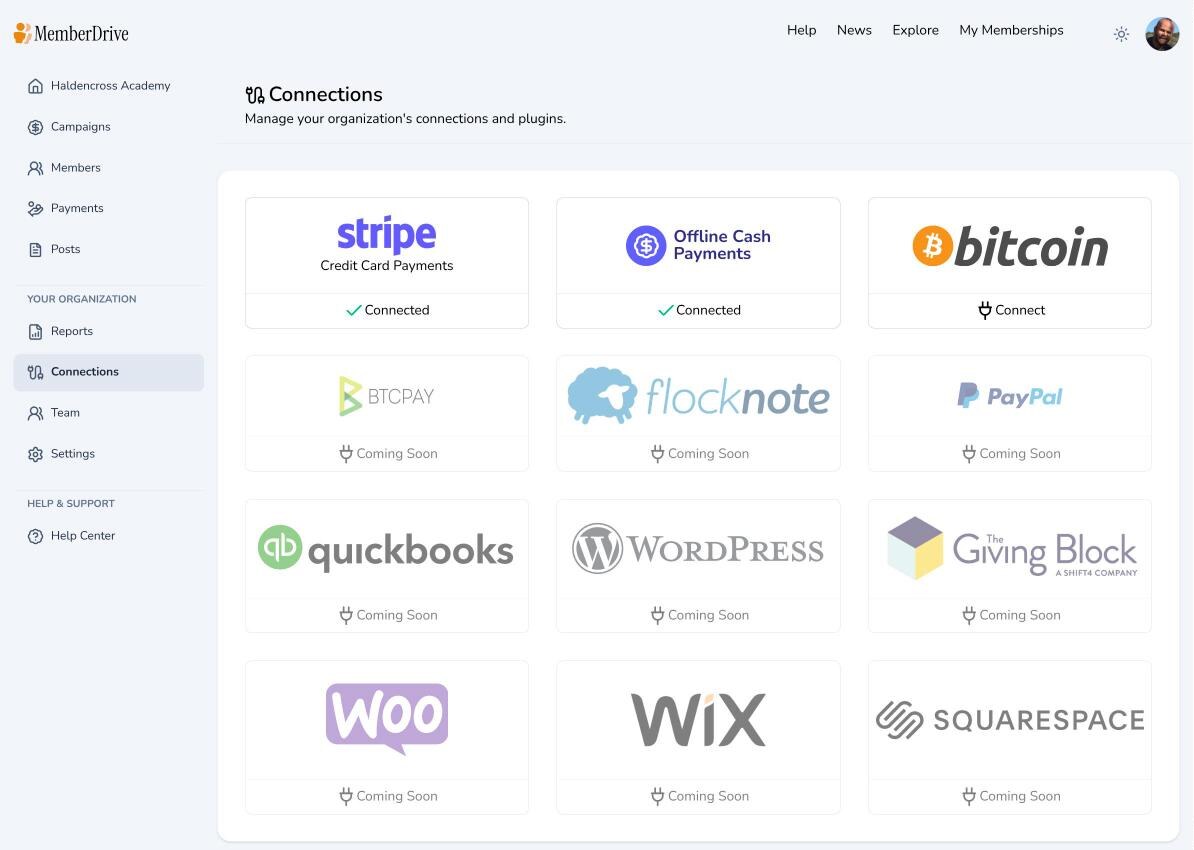
Open the Stripe card
Click the Stripe Credit Card Payments connection.

Connect with Stripe
Click Connect with Stripe. Sign in to an existing Stripe account or create one. Complete Stripe’s prompts and return to MemberDrive. When the connection succeeds, the Stripe page shows a connected badge and your Stripe account name.
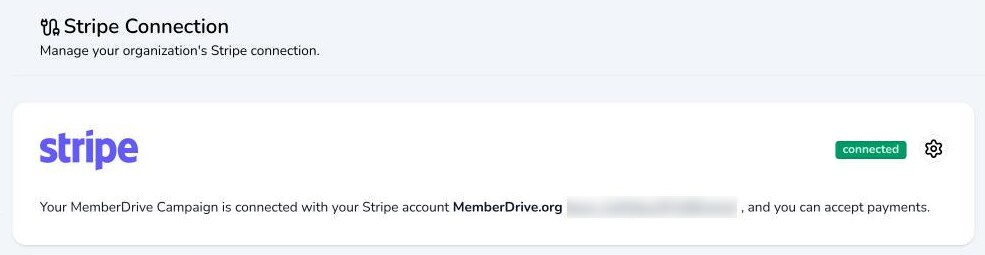
What donors can pay with
After Stripe is connected:
- Credit and debit cards through Stripe on your MemberDrive donation form
- Bank/ACH through Stripe (offered for US bank accounts once connected) — see Bank and ACH donations for verification and failed-payment basics
- Offline cash or check can still be recorded manually; that does not require Stripe
Card data is handled by Stripe. MemberDrive does not store full card numbers on its servers.
Fees
Stripe charges its own processing fees (typically a percentage plus a fixed amount per successful charge). MemberDrive may also apply an application fee configured for your organization. On the donation form, donors can cover estimated processing fees; by default that option is checked, and you can change the default per campaign under Campaign → Settings (Cover processing fees by default).
Next steps
Subscribe to receive our content right to your inbox.