Member CRM
MemberDrive's Member CRM is a powerful and intuitive tool that allows you to manage your members and their data.
Member Dashboard
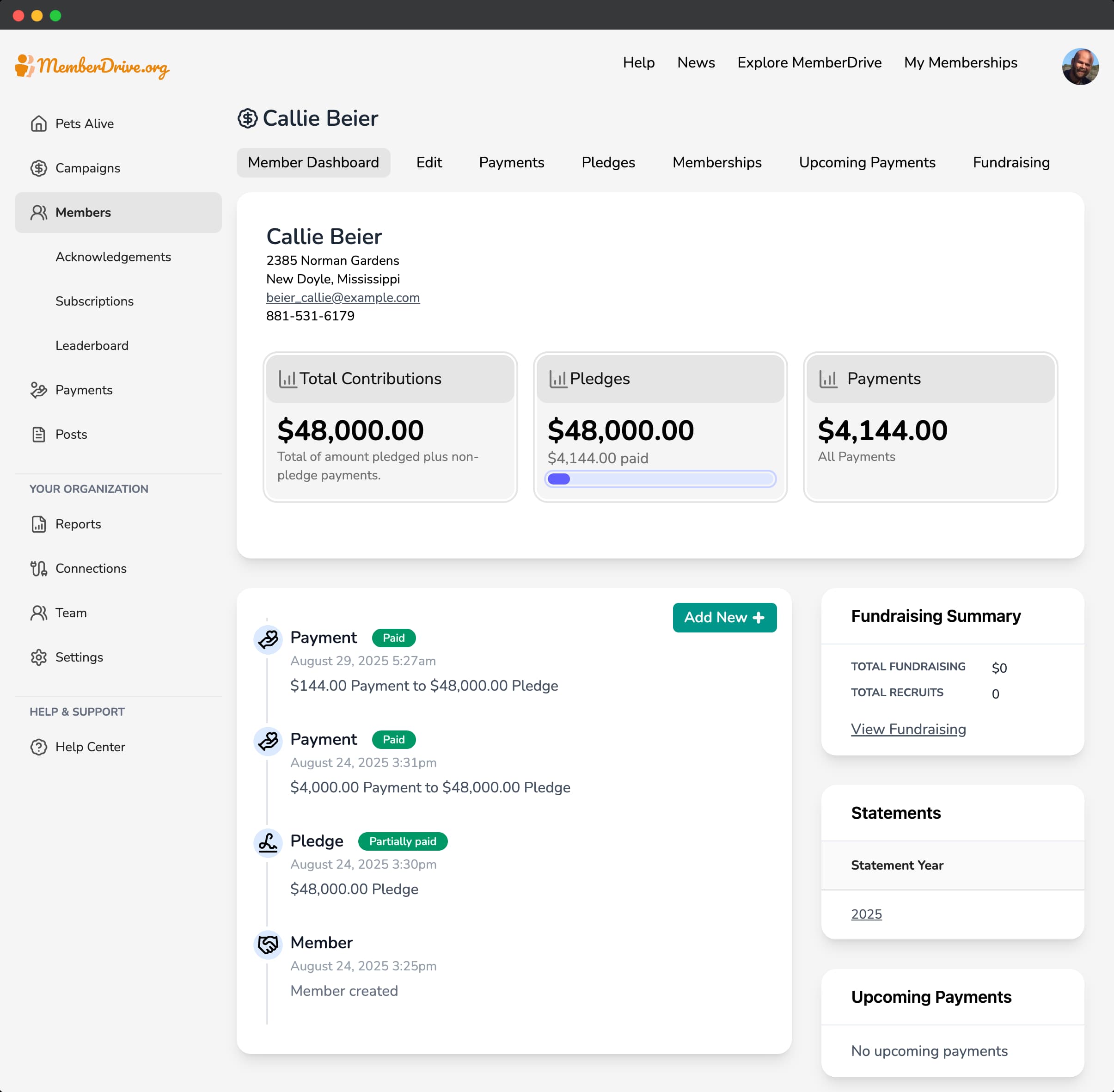
The member dashboard is the main page for a member. It shows a timeline of the member's interactions, their information, their donations, and their pledges.
Edit a member
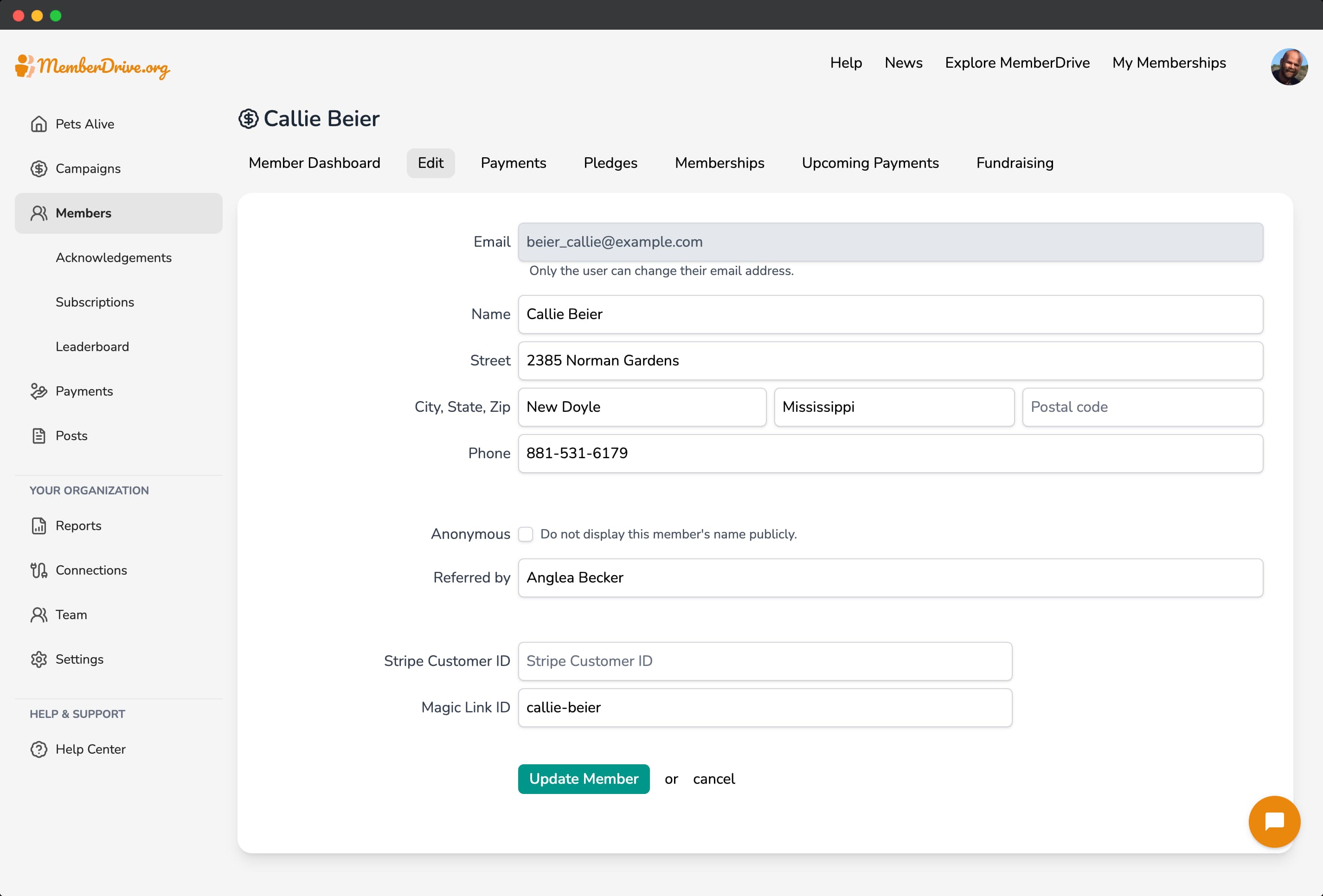
You can edit a member's information by clicking the Edit
button in the member dashboard.
Payments
The payments page is where you can see a list of all a member's payments.
To view details of a payment, click the payment in the list.
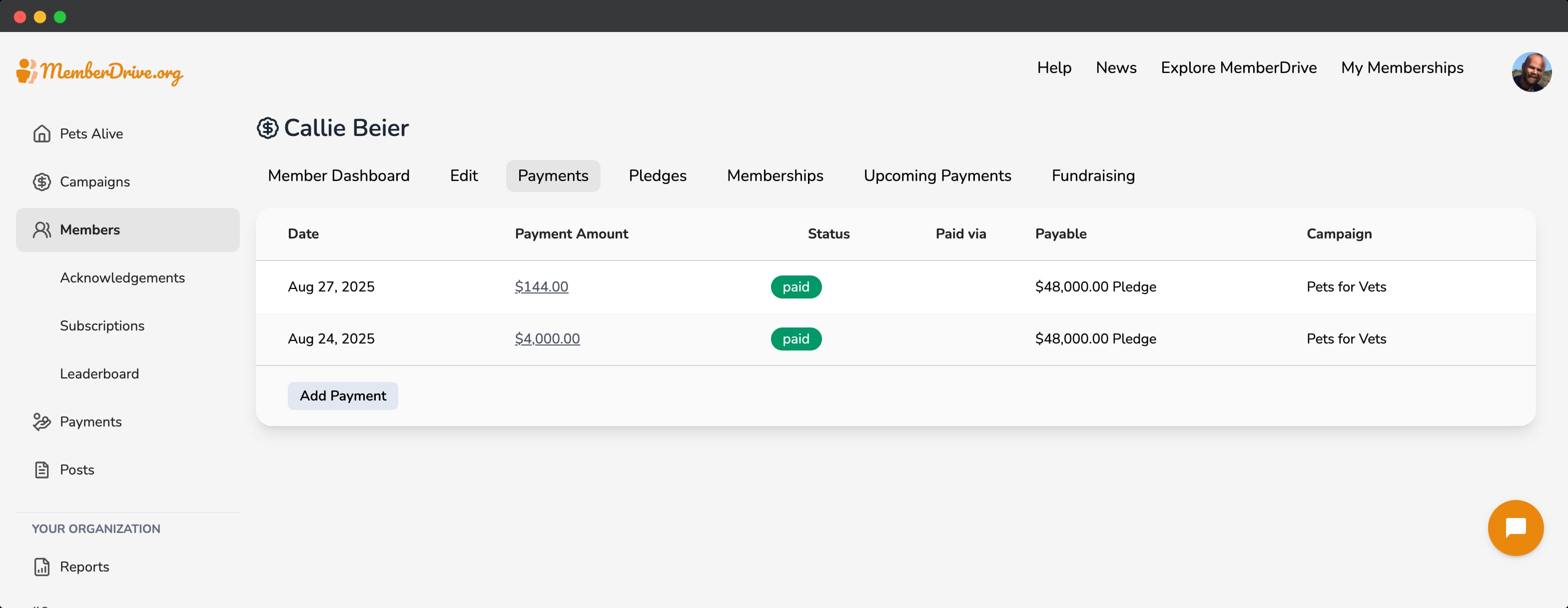
To add a manual payment, click the Add Payment
button.
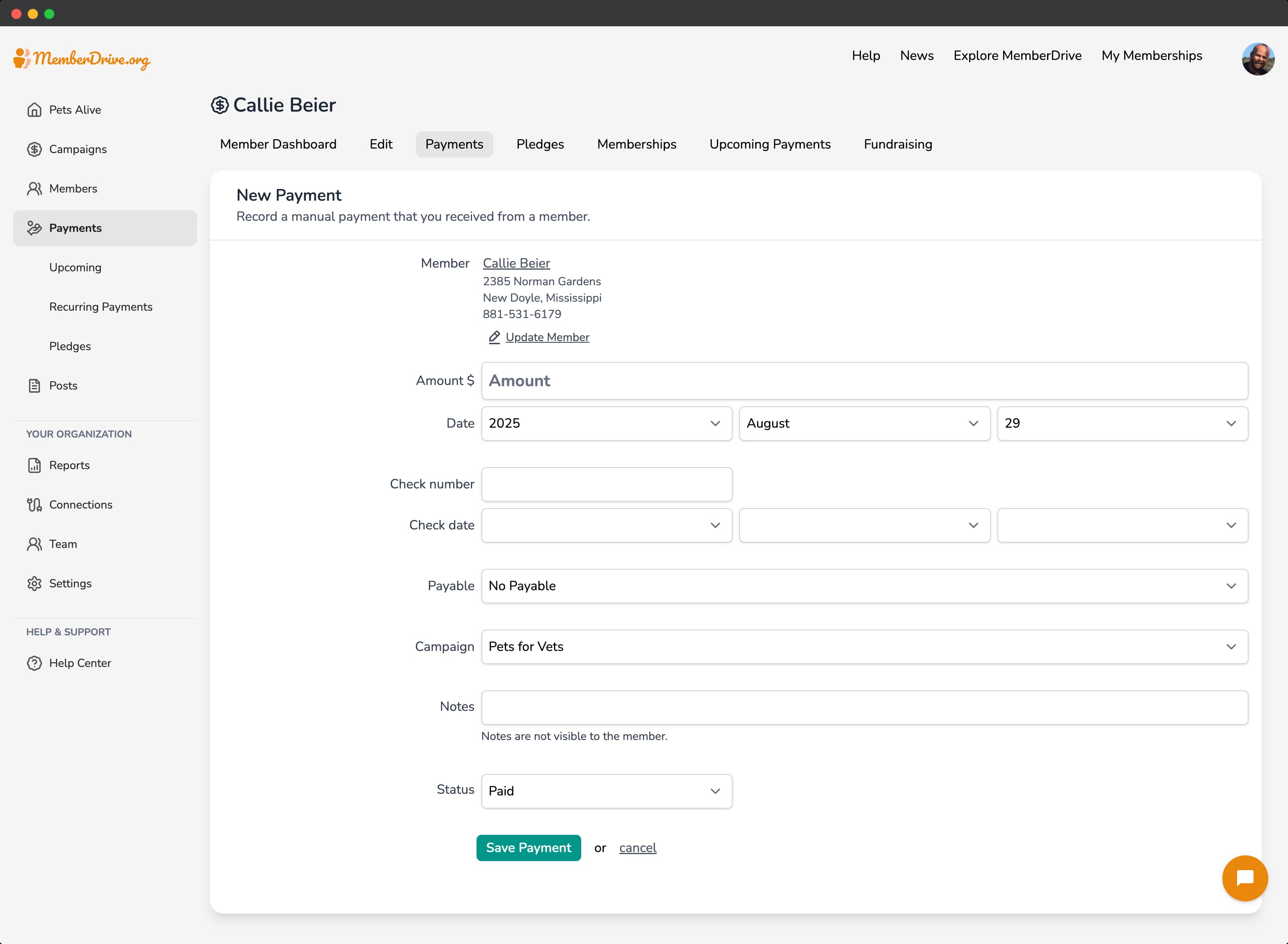
Enter the payment amount, date, check number (if applicable), and notes. If this payment is for a pledge or membership, select it from the Payable
dropdown. Then click Save Payment
.
Pledges
The pledges page is where you can see a member's pledges.
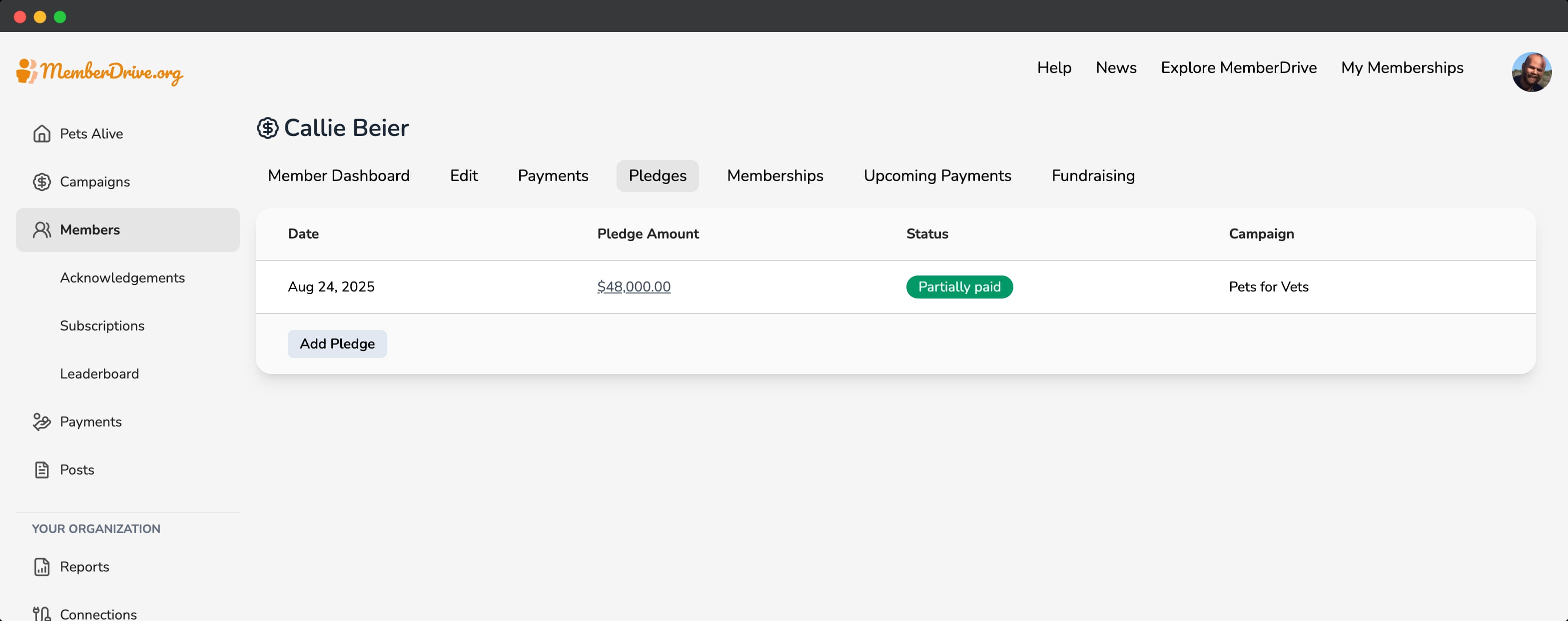
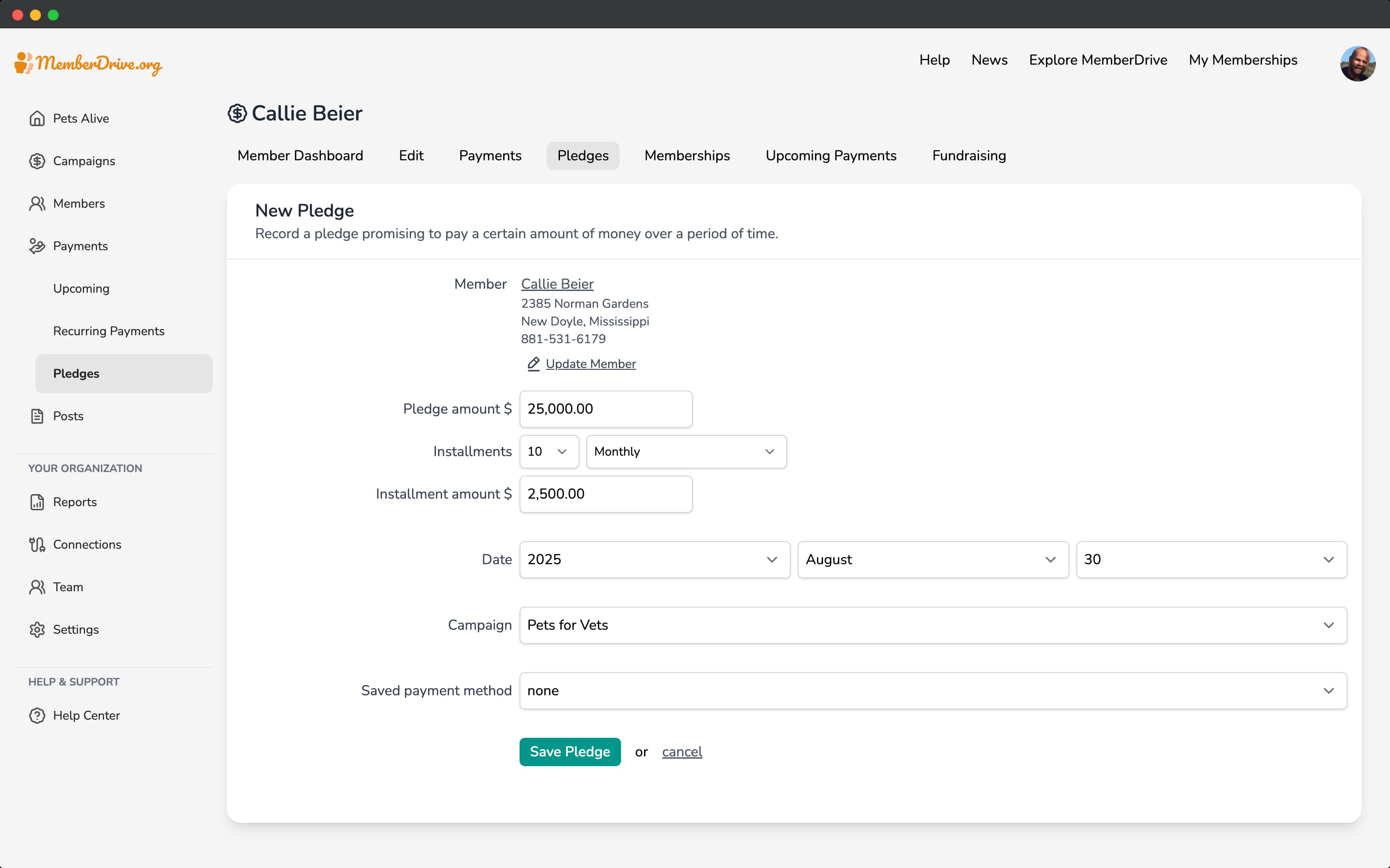
To add a pledge, click the Add Pledge
button.
Enter the pledge amount, date, and notes. Then click Save Pledge
.
Memberships
The memberships page is where you can see a member's memberships.
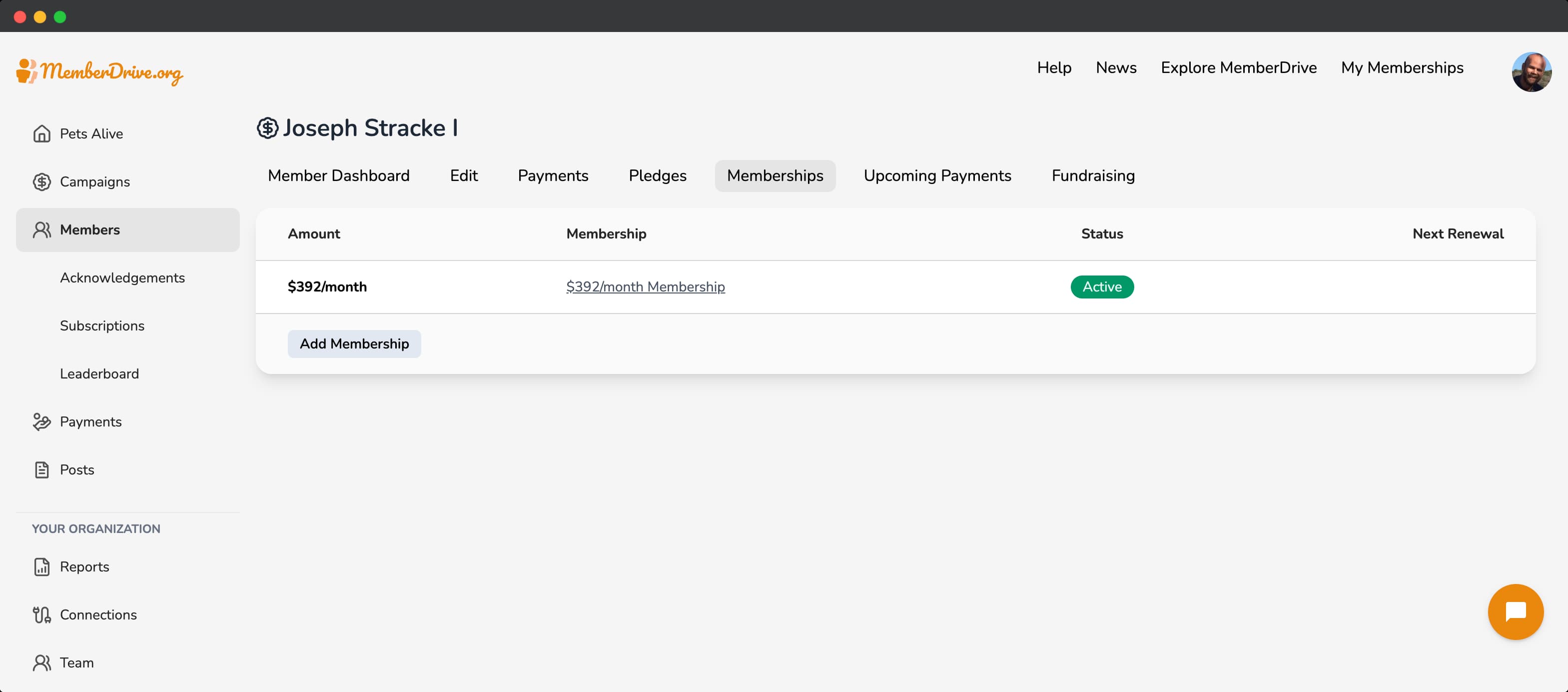
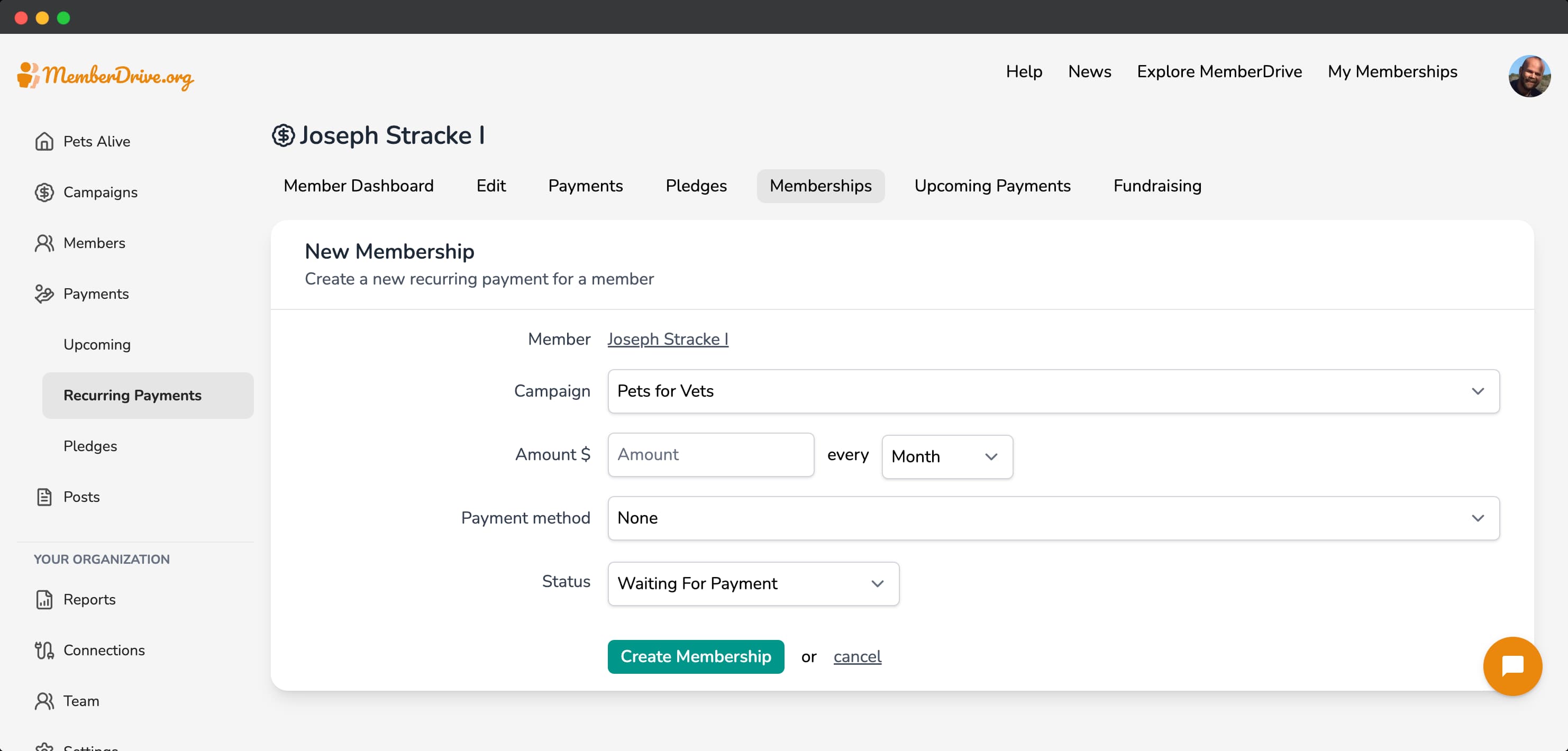
To add a membership, click the Add Membership
button.
Enter the membership amount, date, and notes. Then click Save Membership
.
Upcoming Payments
The upcoming payments page is where you can see a member's upcoming payments.
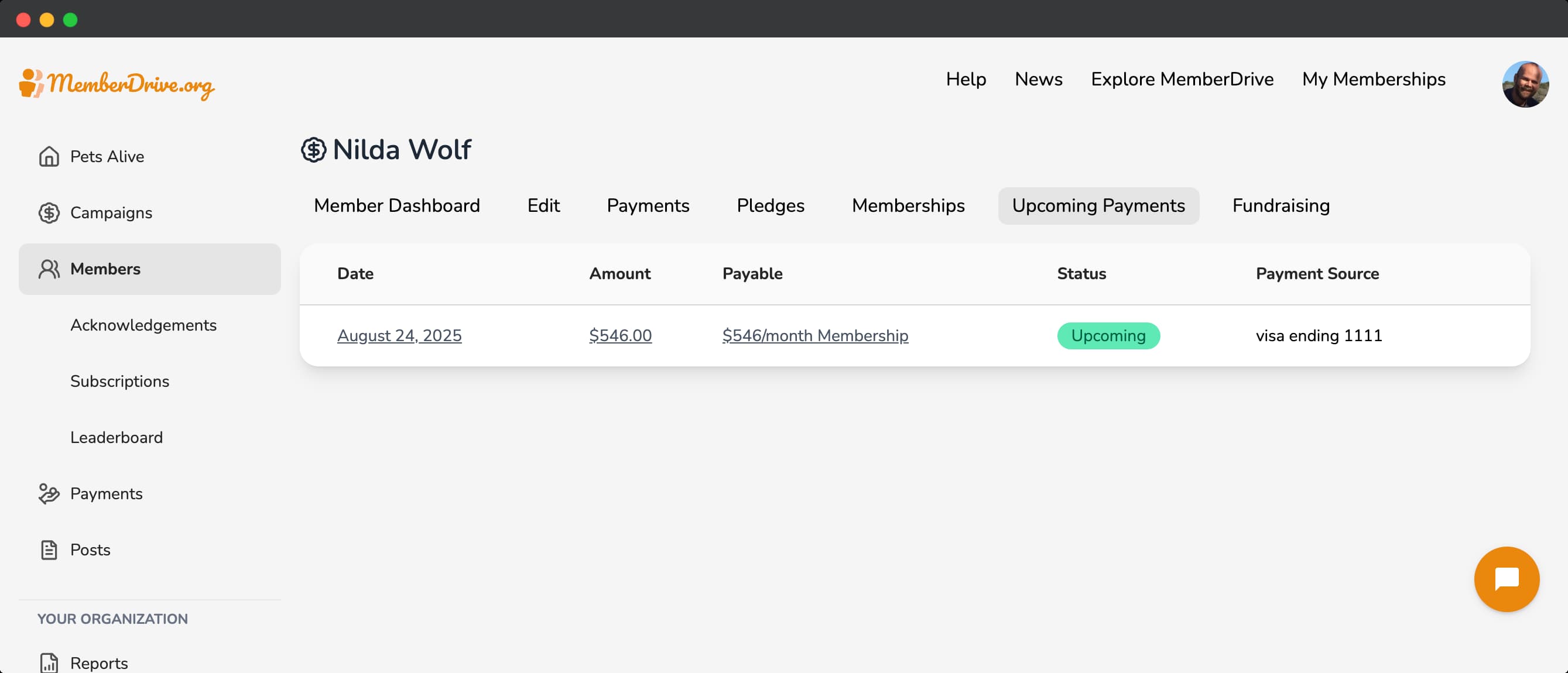
To view an upcoming payment, click on the upcoming payment in the list.
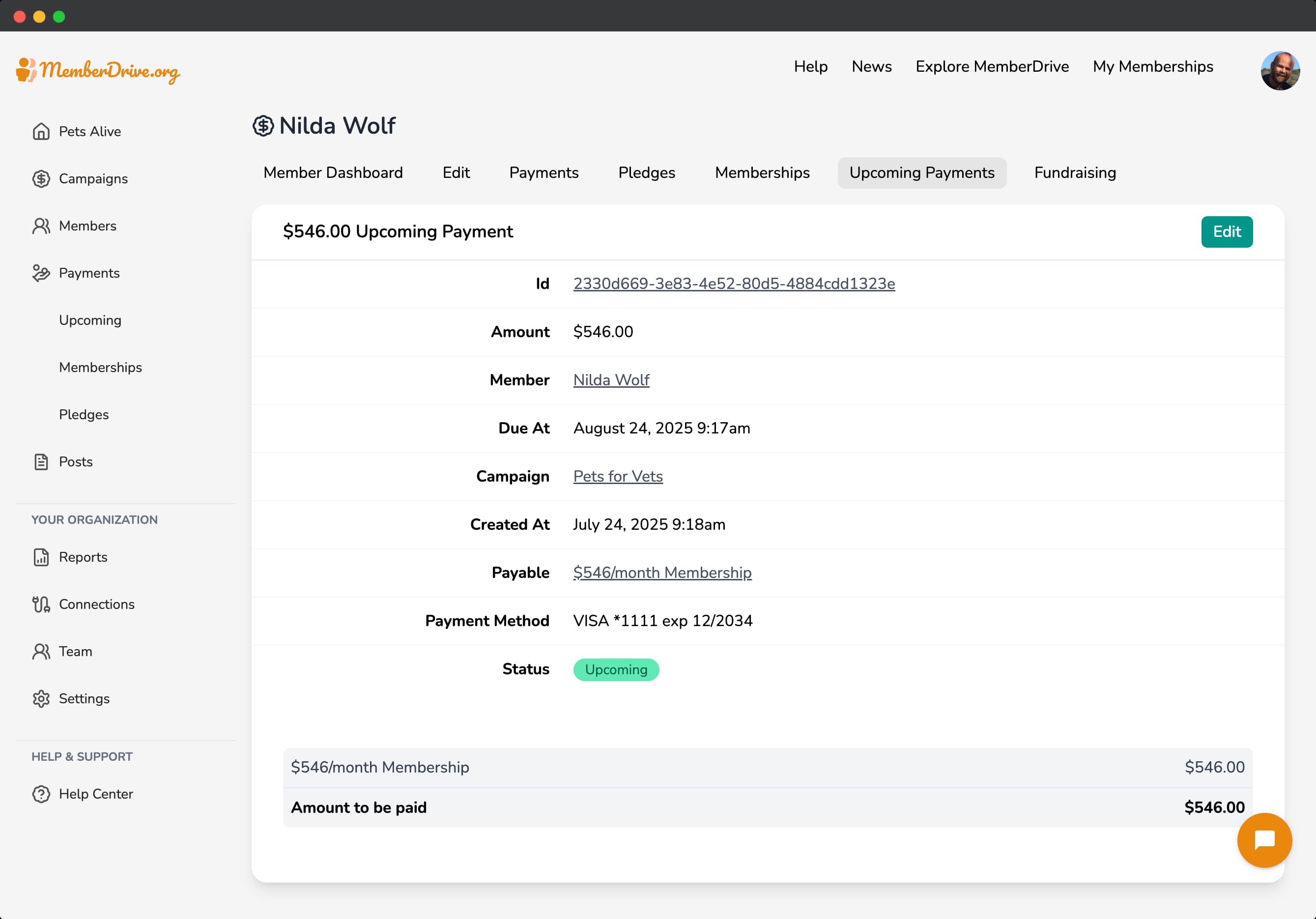
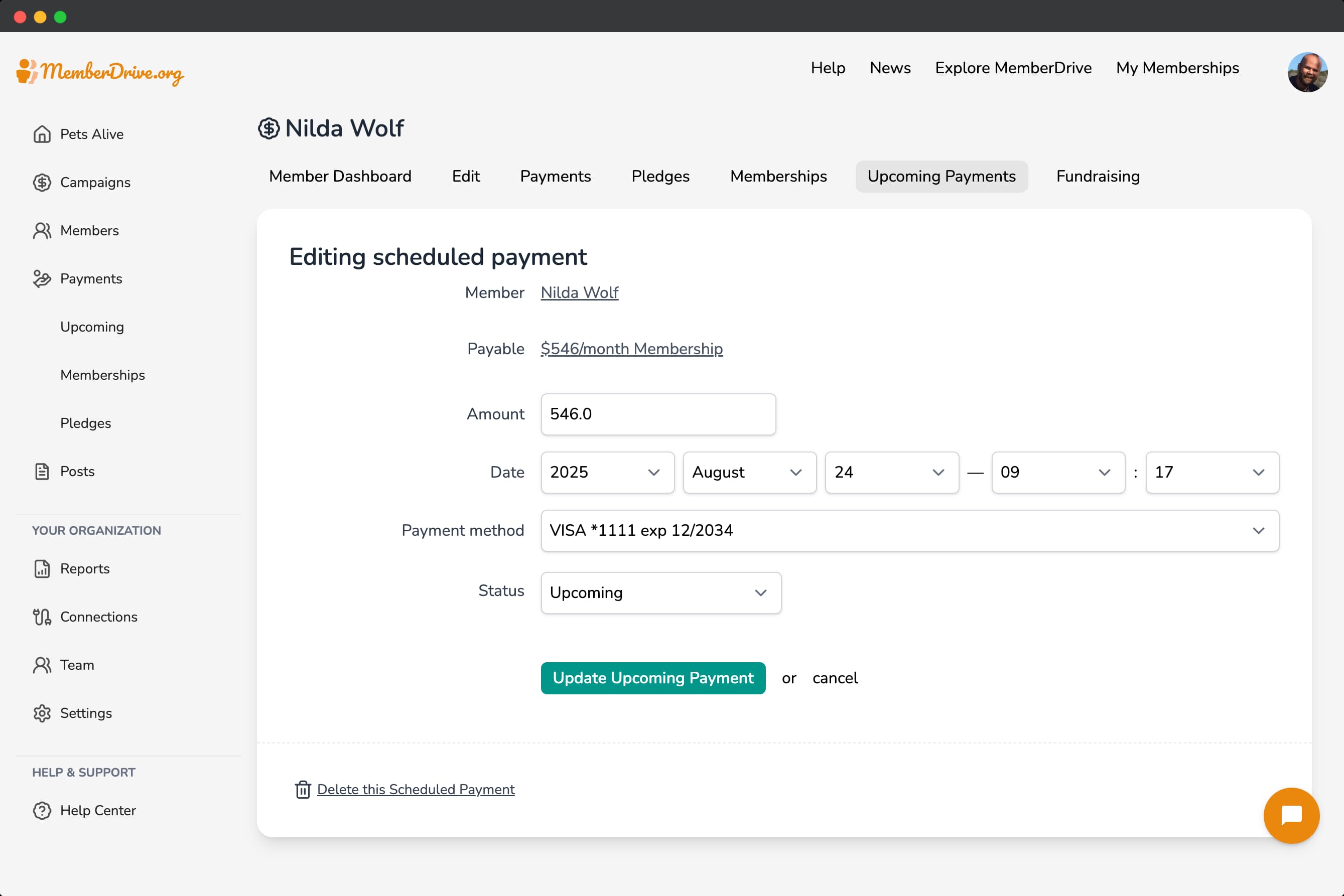
You can edit or cancel an upcoming payment. Click the Edit
button to edit the upcoming payment. You can change the amount, date, or status of the upcoming payment. To cancel an upcoming payment, select Cancelled
from the Status
dropdown. You can also delete an upcoming payment by clicking Delete this Scheduled Payment
.
Fundraising
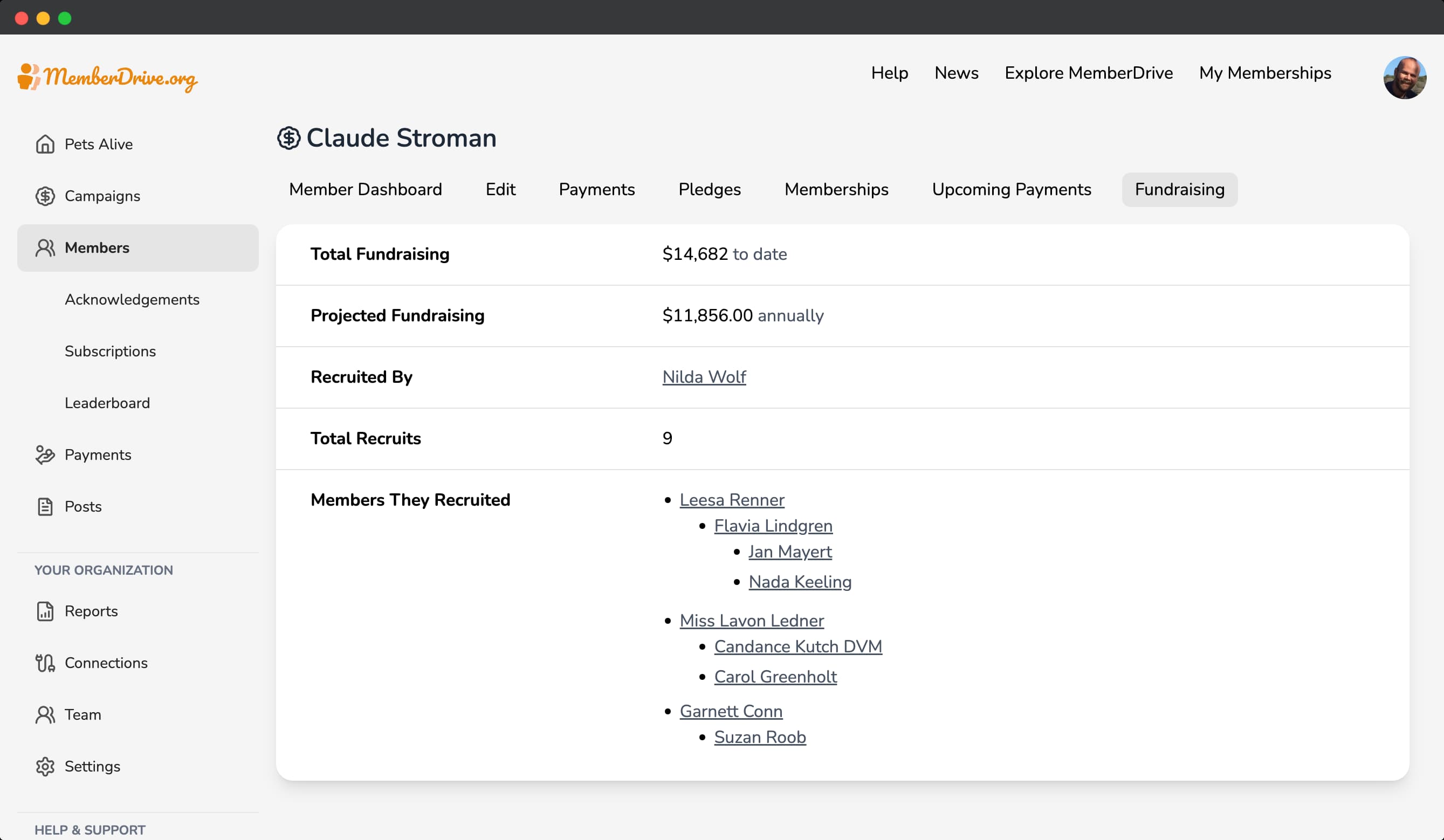
The fundraising page is where you can see a member's fundraising progress. This page lists all the members that the member has recruited (and the members that their recruits have recruited), as well as their projected fundraising totals.
MemberDrive's Member CRM is a powerful and intuitive tool that allows you to manage your members and their data. You can manage every aspect of your members' relationships with your organization, from donations to memberships to upcoming payments to fundraising.
Subscribe to receive our content right to your inbox.