Manage Recurring Donations
Step-by-step instructions for managing recurring donations.
In MemberDrive, recurring donations are called memberships
. You can edit or pause a membership, or cancel it entirely.
Find a membership
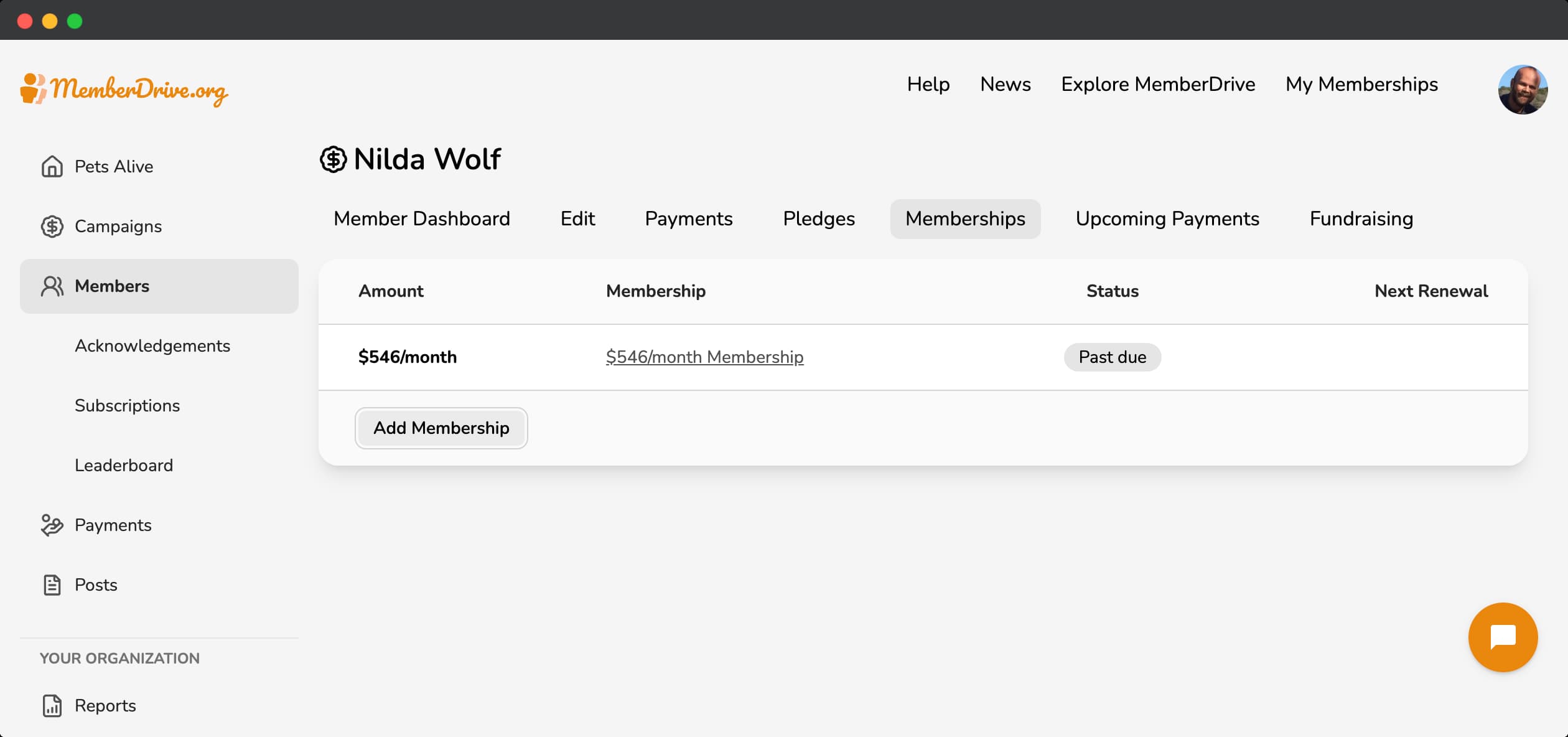
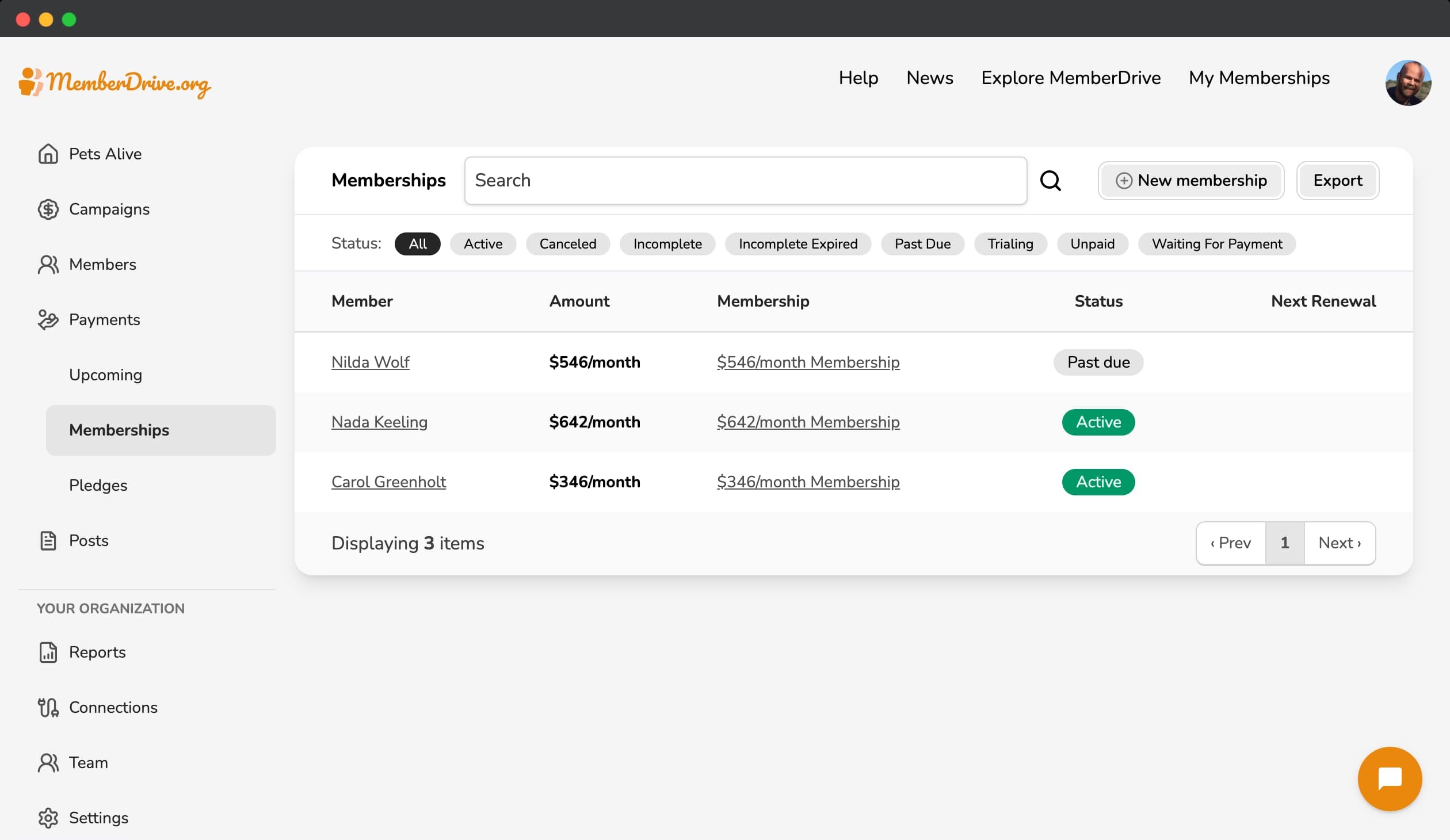
You can find a membership two ways: through a Member's dashboard, or by going to Payments, then Memberships.
Through a Member's dashboard
- Navigate to the organization dashboard.
- Click
Members
in the left-hand navigation. - Search for the member that you want to find a membership for.
- Click on the member that you want to find a membership for.
- Click
Memberships
in the Member Dashboard navigation. - Click on the membership that you want to view.
Through the organization dashboard
- Navigate to the organization dashboard.
- Click
Payments
in the left-hand navigation, then clickMemberships
. - Search for the recurring membership that you want to find.
- Click on the membership that you want to view.
Edit, pause, or cancel a membership
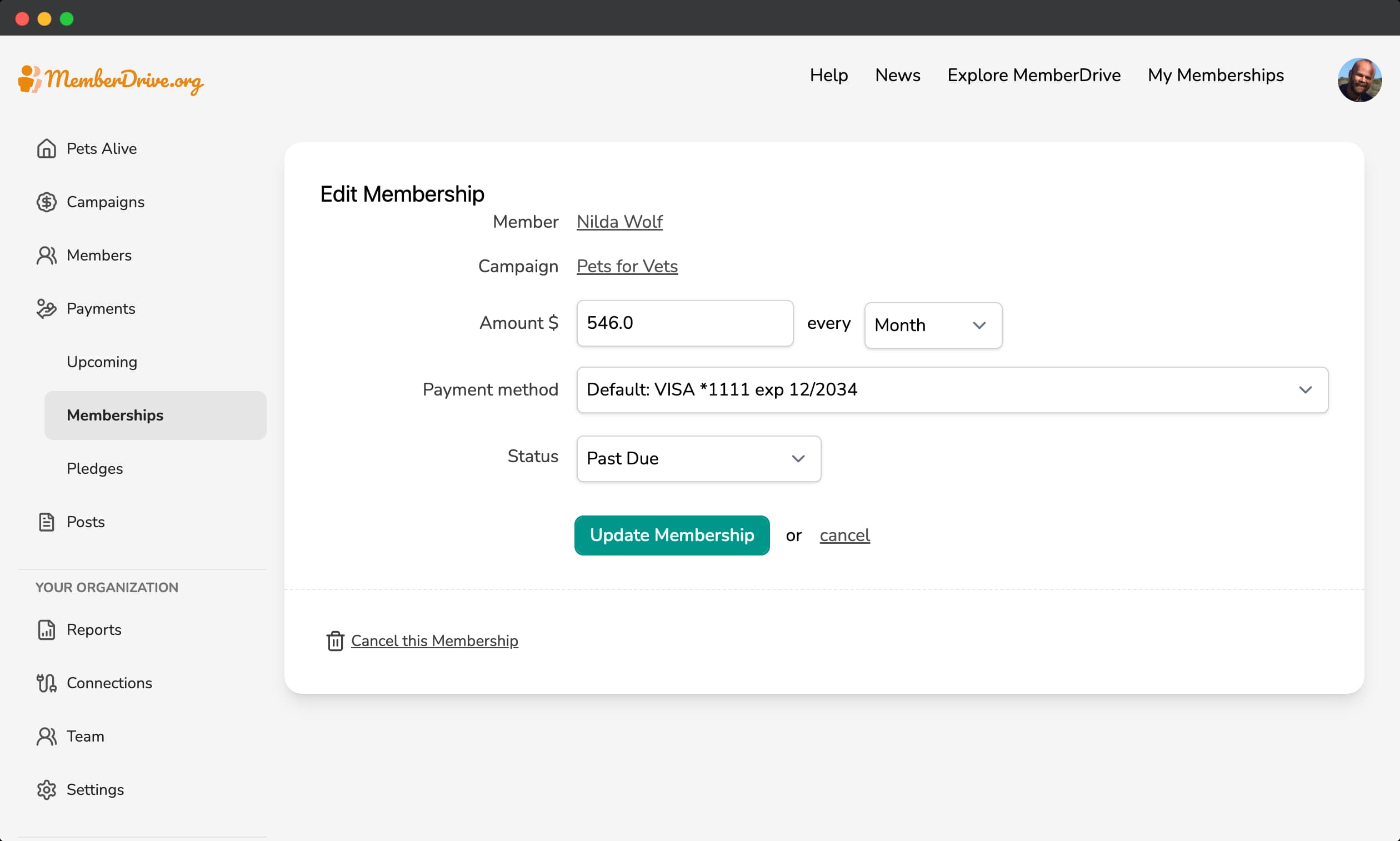
To edit a membership, click Edit
in the upper-right corner of the membership page.
You can change the amount and frequency of the membership, the status of the membership, and choose a member's saved payment method.
Cancel a membership
Sometimes it happens: a member will ask to cancel their upcoming donation, or to cancel their membership. As an organization admin, you can do this for them in just a few steps.
- Locate the membership that you want to cancel or pause.
- Click
Edit
in the upper-right corner of the membership page. - Select
Cancelled
from theStatus
dropdown. - Click
Update Membership
.
When you cancel a membership, any upcoming payments for that membership will also be cancelled.
Pause a membership
You can also pause a membership by setting a date in the future for the membership to resume.
- Locate the membership that you want to cancel or pause.
- Click
Edit
in the upper-right corner of the membership page. - Select a date in the future for the membership to resume.
- Click
Update Membership
.
When you set the date to a date in the future, any upcoming payments for that membership will be paused until the date you set.
Need more help?
If you have any questions about canceling a recurring donation, please contact us at help@memberdrive.org. Or click the chat icon at the bottom of every screen. We're happy to help!
Subscribe to receive our content right to your inbox.