Pledges
A pledge is a promise or commitment made by a donor to contribute a specific amount of money or resources to the organization at a future date or over a specified period.
About pledges
A pledge is a promise or commitment made by a donor to contribute a specific amount of money or resources to the organization at a future date or over a specified period. It is not an immediate donation but rather a formal intention to give. MemberDrive supports pledges with automatic recurring payments.
Like recurring donations, pledges are a way to collect recurring donations from your donors. They are a great way to build a relationship with your donors and to ensure that they are committed to your organization. Like memberships (recurring donations), pledges can be automatically paid via credit card or bank account, or manually by sending a check or other offline payment.
Unlike memberships, pledges are considered paid and the recurring payment stops when the pledge is paid in full. Pledges count towards your organization's fundraising goals, so it's a great way to track your progress and reach your goals while allowing donors to pay over time.
For example, a donor might pledge $10,000 to your campaign, to be paid in $2,000 installments over five years. In most cases, you can plan your budget based on these expected funds, even though the money is not received immediately.
- Non-binding: A pledge is a moral commitment (non-binding).
- Payment schedule: Pledges are often fulfilled over time, such as through monthly, quarterly, or annual payments.
- Purpose: Pledges are commonly used in fundraising campaigns, capital campaigns, or special projects to secure future funding.
- Recognition: Donors who make pledges may receive recognition, such as inclusion in donor lists or special acknowledgments, depending on the organization’s practices.
- Donors can choose to automatically pay pledges via credit card or bank account, or manually by sending a check or other offline payment.
Setting up Pledges
There's almost nothing to do to set up pledges; they are automatically available to your organization and all your campaigns when you connect your Stripe account.
Connect your Stripe account
Pledges are automatically turned on when you connect your Stripe account. After you connect your Stripe account, Pledges will automatically be available to your organization and all your campaigns.
Donors will see a pledge option on your giving page
When donors come to your giving page, they will see a pledge option. It looks like this:
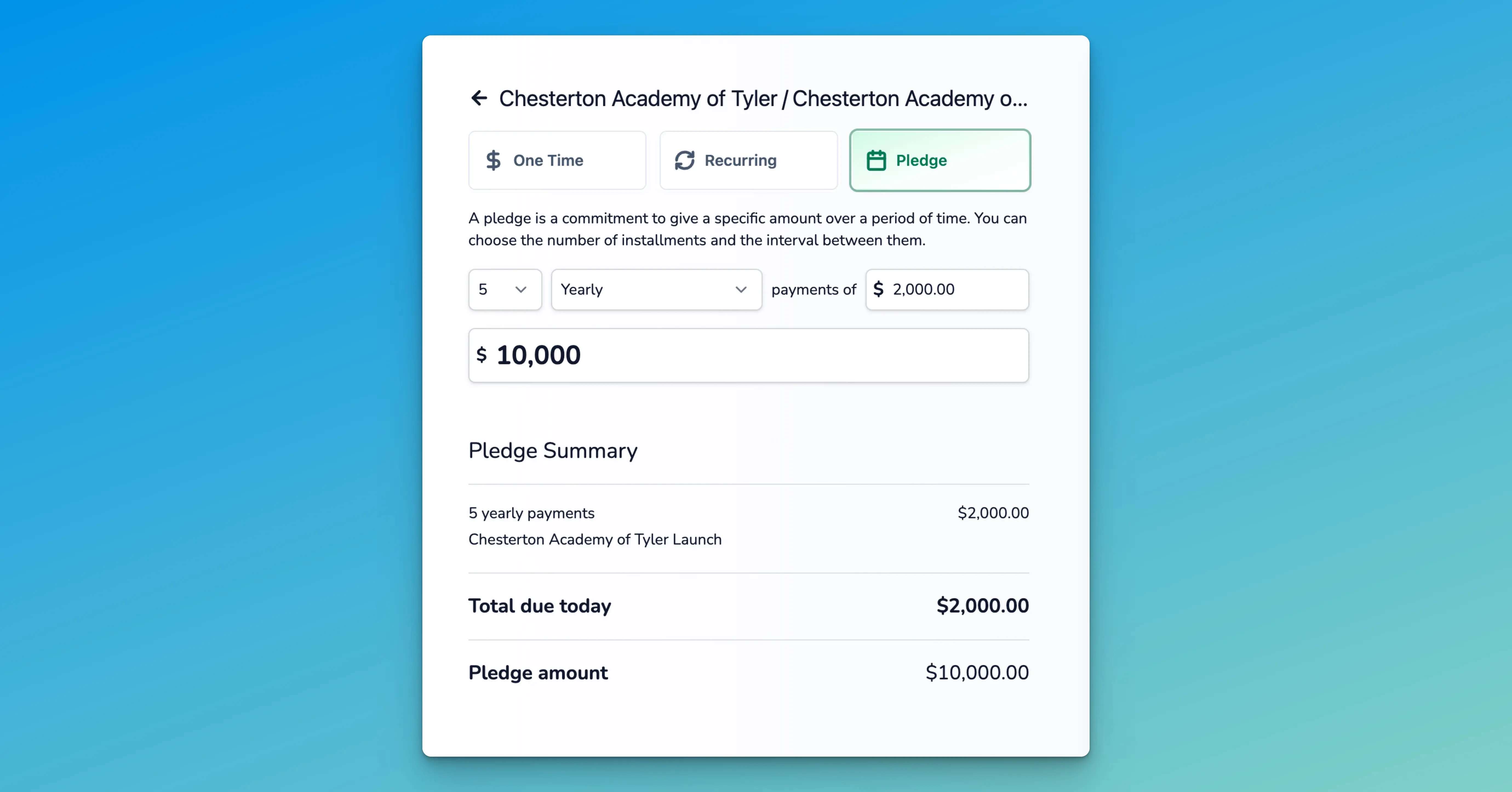
In addition to the pledge amount and installment amount, members can choose their payment period:
- Twice Monthly
- Monthly
- Quarterly
- Yearly
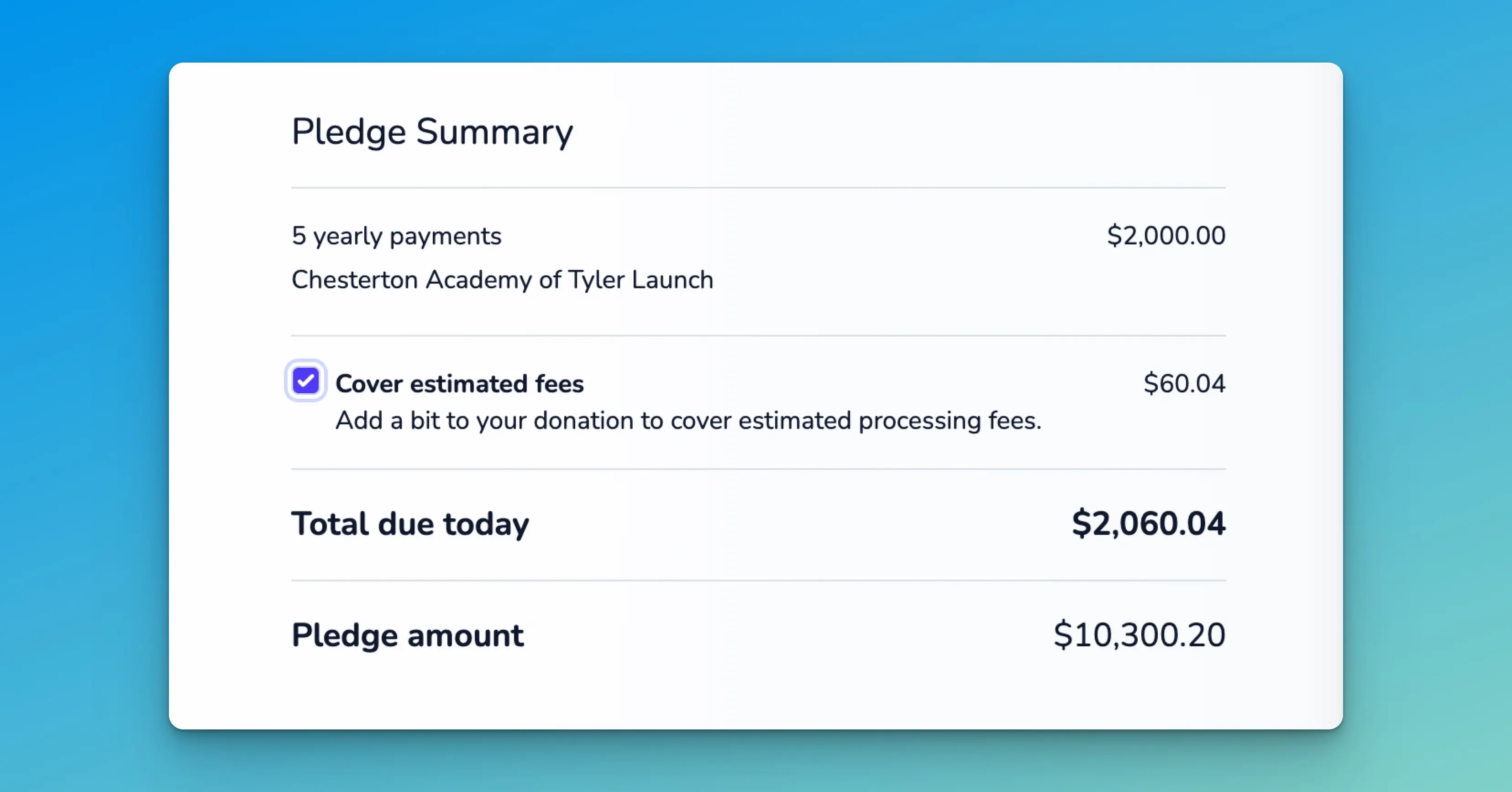
By default, the donation form checks Cover estimated fees so donors can cover processing fees (you can change this per campaign under Campaign → Settings: Cover processing fees by default). Donors can still uncheck it. When they cover fees on a pledge, fees are estimated from the installment amount, and the total fees for all installments are summed and added to the pledge amount.
How to Manually Create a Pledge
Normally pledges can be created by members on your giving page. However, there are times when you may need to manually create a pledge. For example, if a member returns a pledge card, makes a pledge over the phone, or if a member is not able to make a pledge online.
Start by finding the member
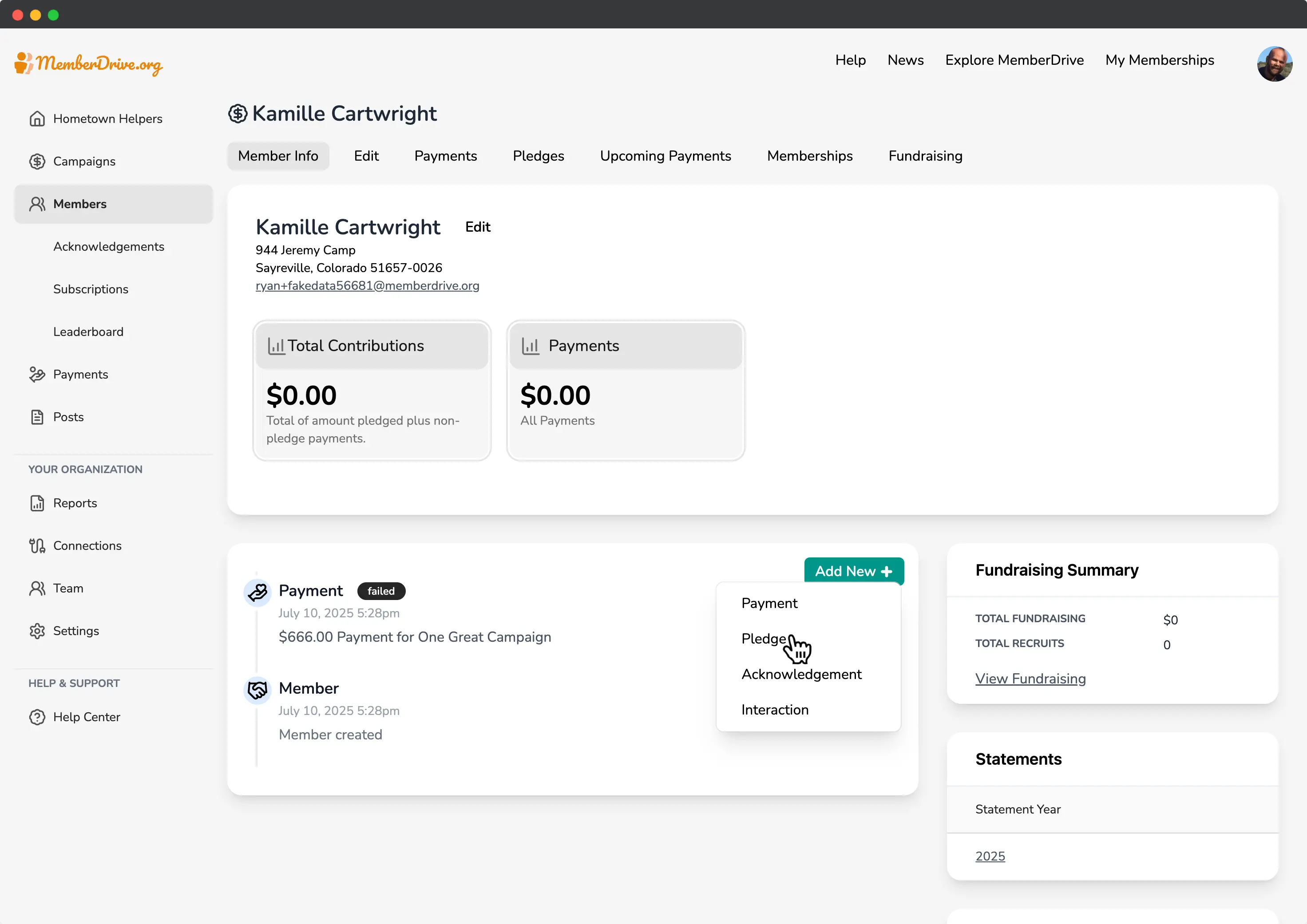
To create a pledge, first navigate to the Members page in your MemberDrive Dashboard. Select the member that made the, or create a new member if necessary.
Create a new pledge
Click on the Add New
button, and then select Pledge
.
Enter the pledge information
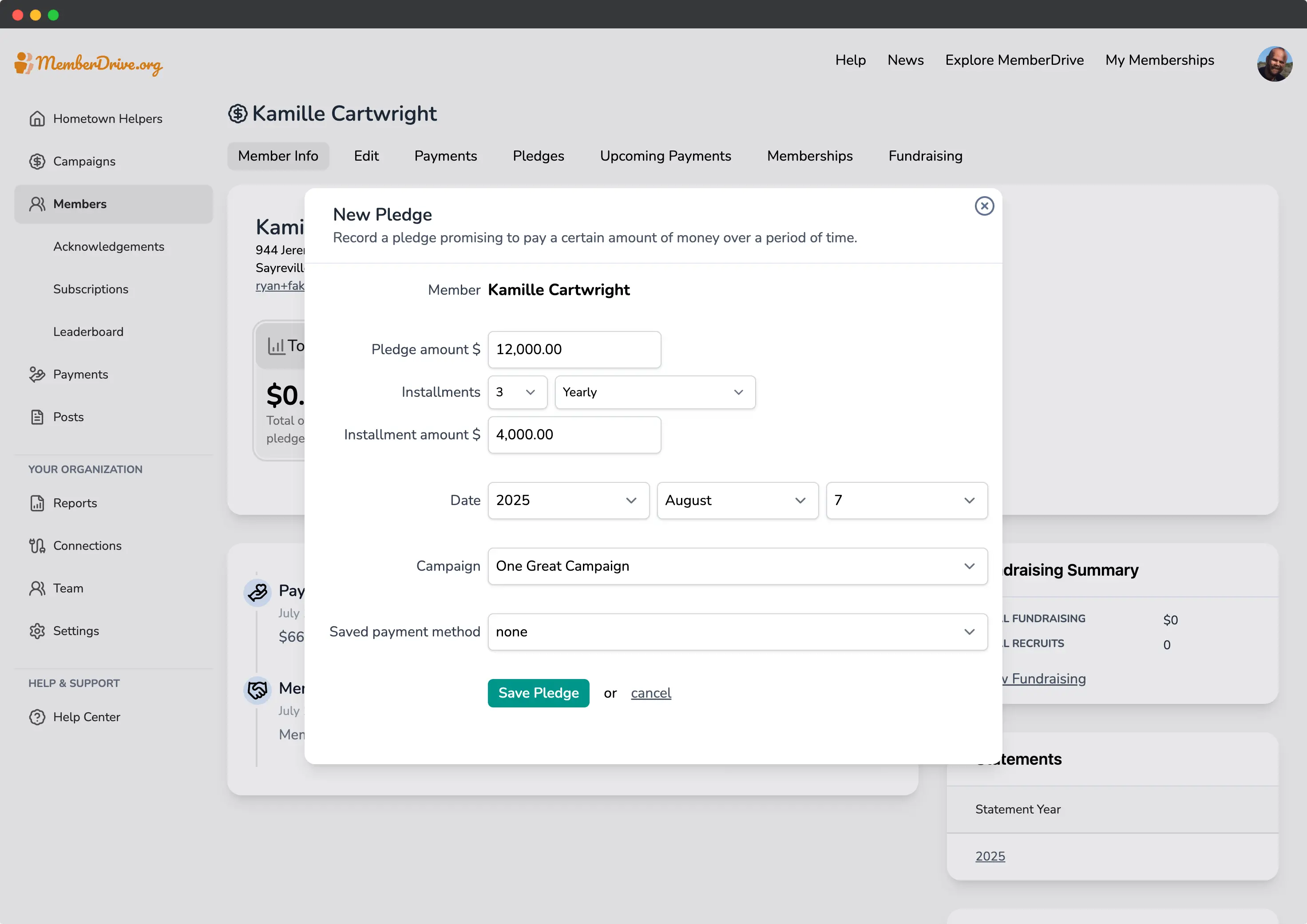
Enter the pledge information provided by the donor.
- Pledge amount: The total amount of the pledge.
- Installment amount: The amount of each installment.
- Period of installments: The frequency of the installments (weekly, monthly, twice monthly, or yearly).
- Pledge date: The date the pledge was made.
- Campaign: The campaign the pledge is for.
- Payment method: If the donor has a saved payment, you can select it here.
When you've entered the pledge information, click the Save Pledge
button to create a new pledge.
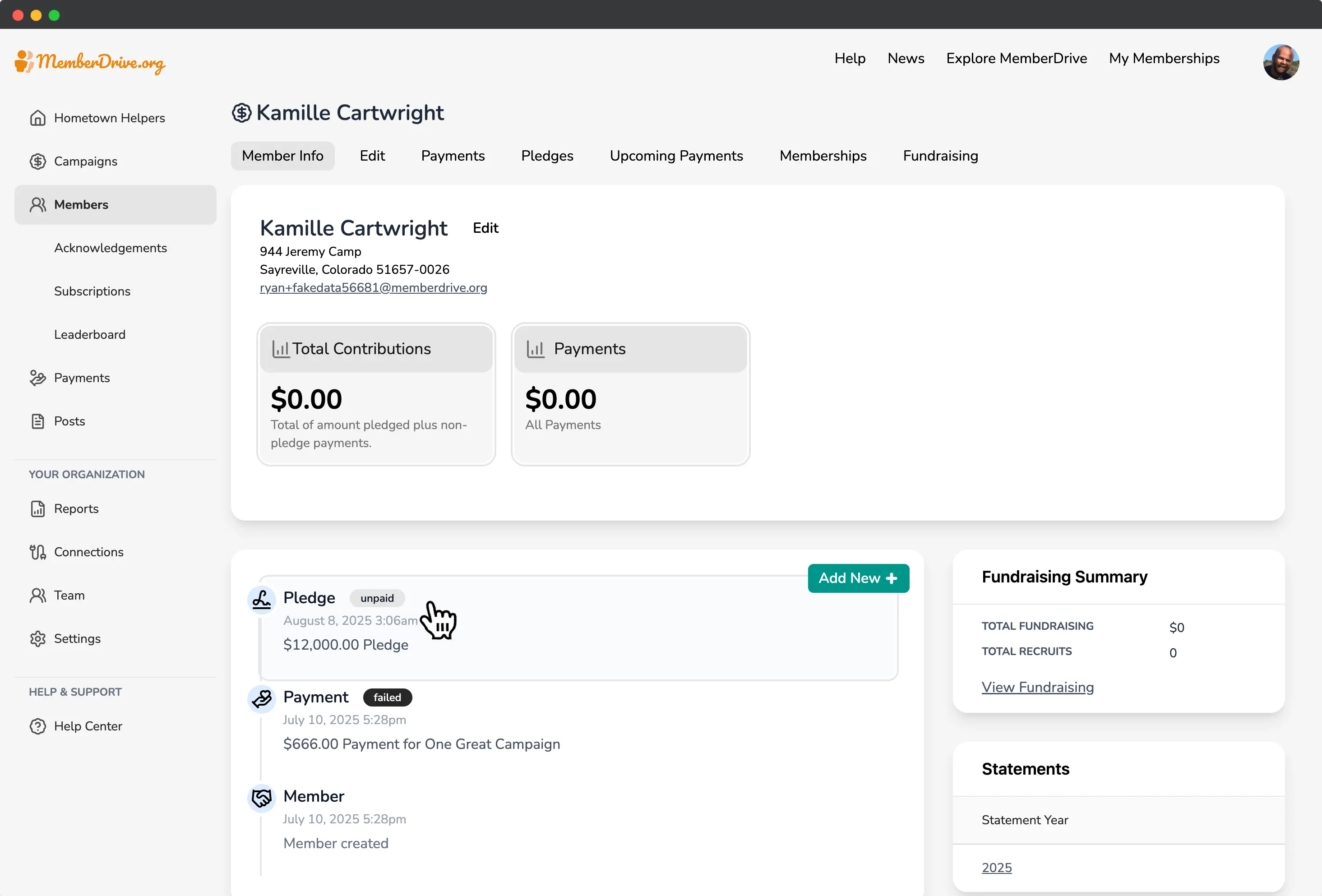
Display the pledge statement
After the pledge is created, you'll see the pledge in the member's timeline. Click on the pledge to view the pledge statement and details.
How to Record a Manual Pledge Payment
If you need to record a pledge payment that was not made online, you can do so by navigating to the Member's page in your MemberDrive Dashboard.
Record a pledge payment
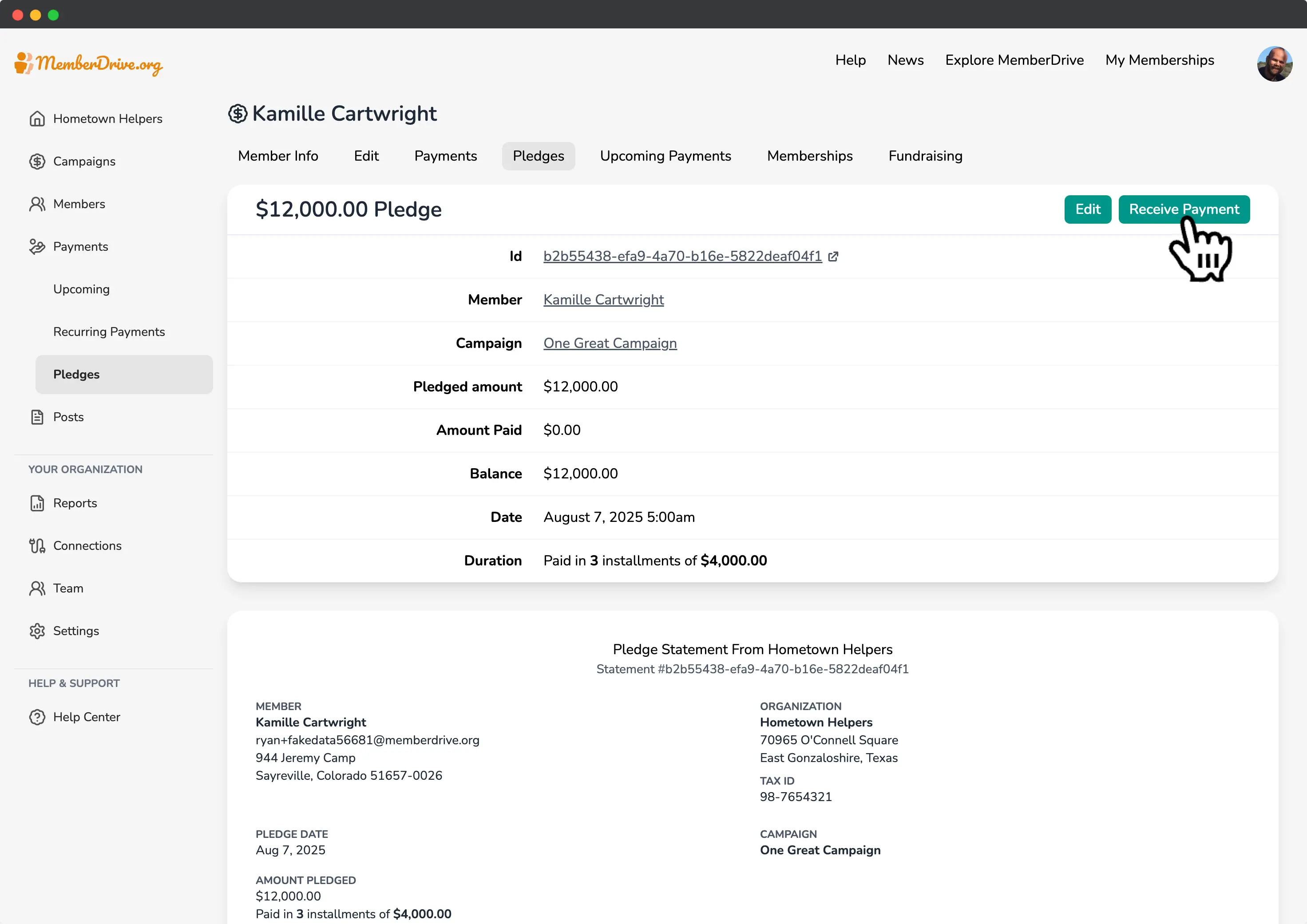
Start by navigating to the member's page, and look for the pledge in their timeline. You can also click on Pledges
in the top navigation bar, and then click on the pledge you want to record a payment for. The pledge statement will show you the pledge details, including the pledge amount, installment amount, period of installments, and pledge date.
Record a pledge payment
To record a pledge payment, click on the Receive Payment
button.
Enter the payment information
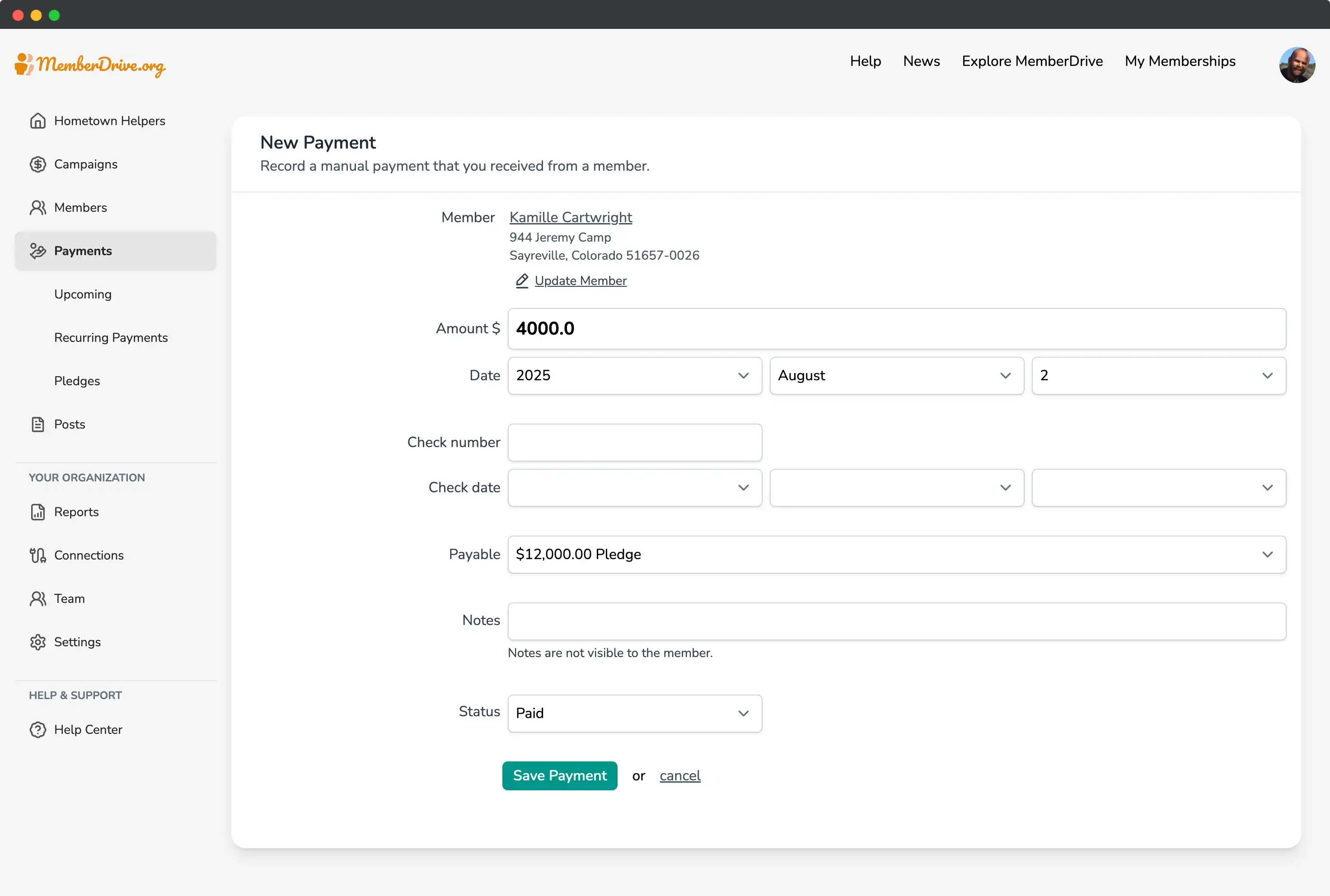
Enter the payment information, including the payment amount, payment date, and payment method.
- Payment amount: The amount of the payment.
- Payment date: The date the payment was made.
- Optionally enter the check number and check date.
- Ensure that the pledge is selected from the
Payable
dropdown. - Optionally enter a note about the payment.
- Select
Paid
from theStatus
dropdown.
When you've entered the payment information, click the Save Payment
button to record the payment.
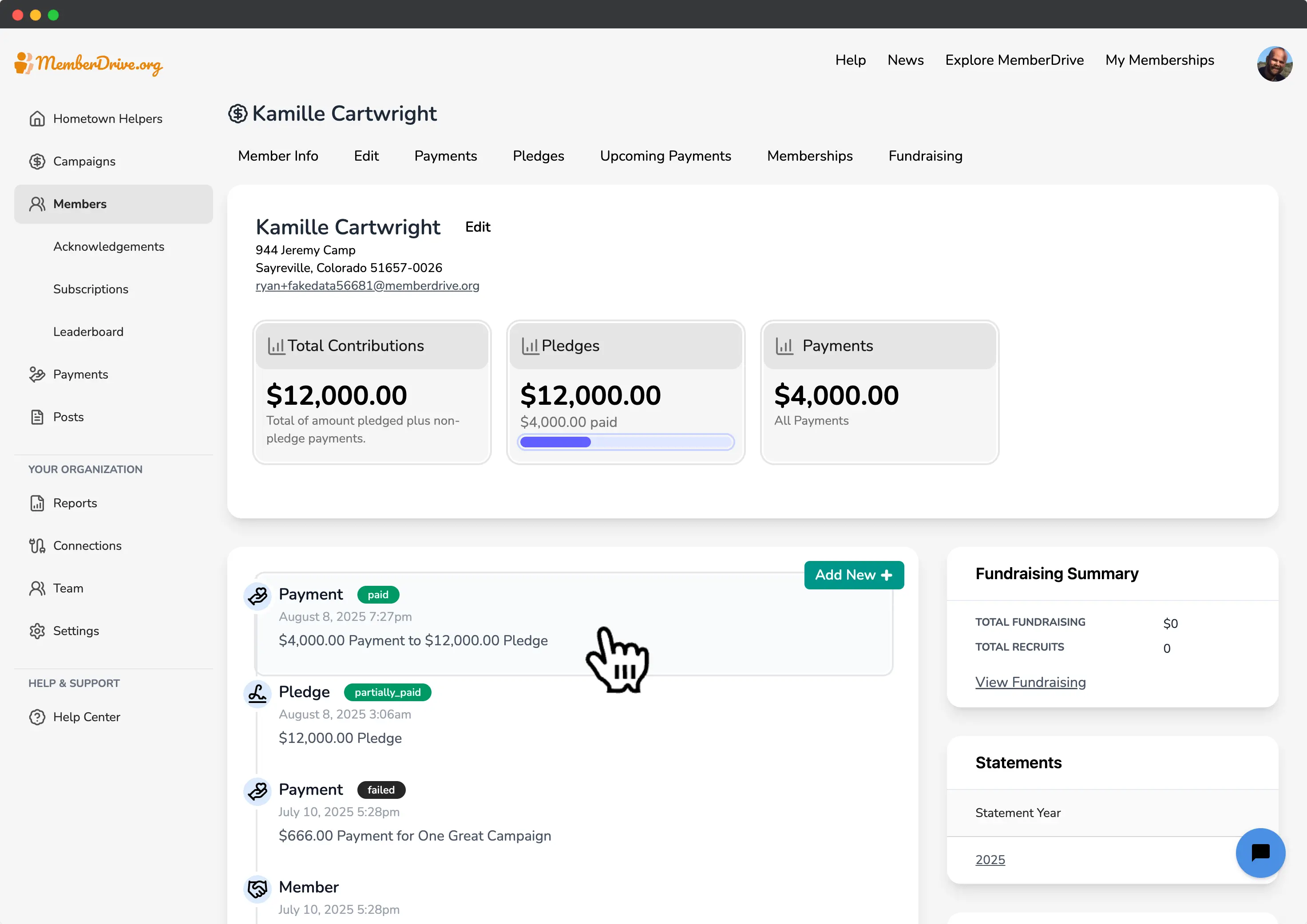
View the payment information
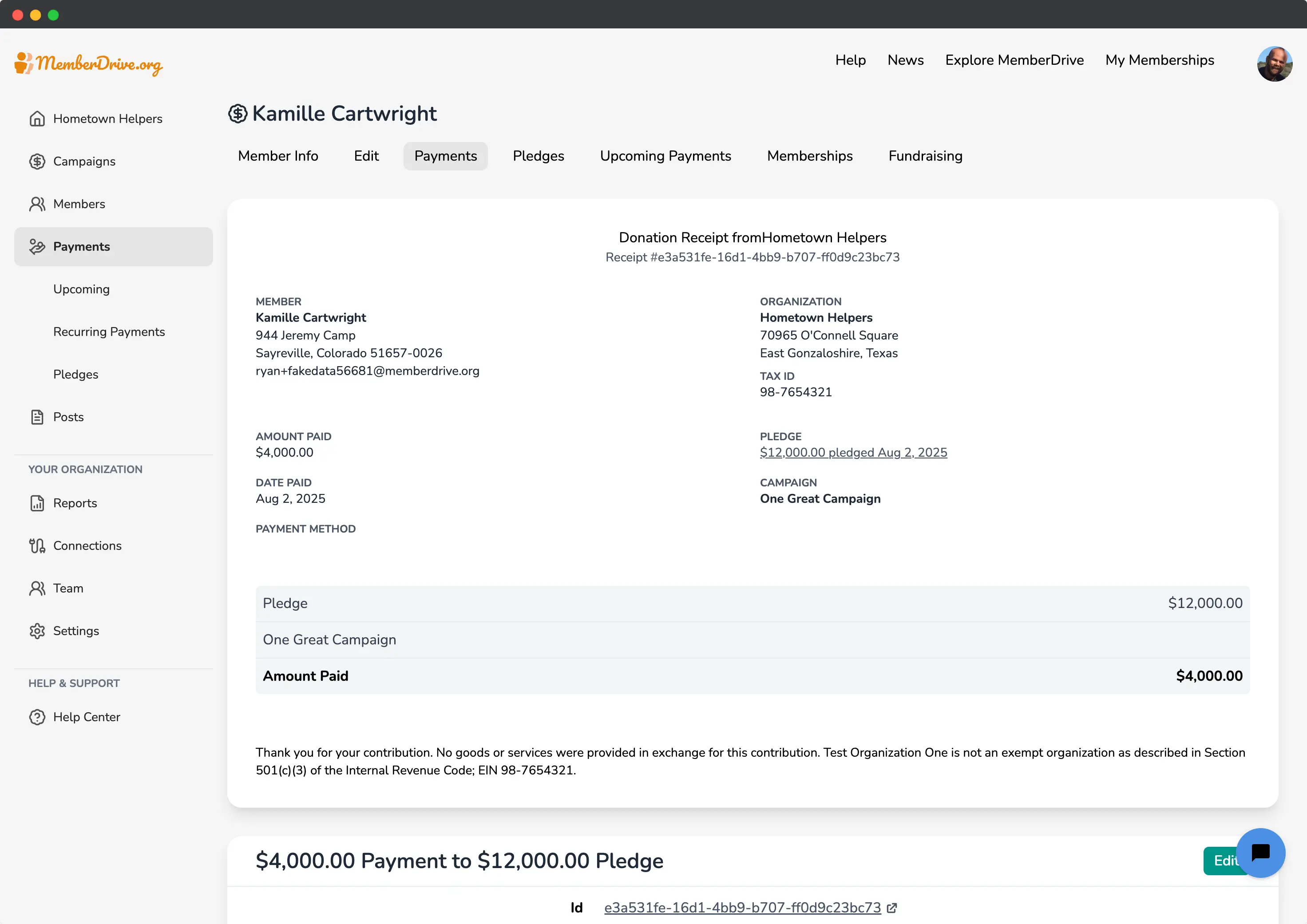
After the payment is recorded, you'll see the payment in the member's timeline. Click on the payment to view the payment details.
Meet your fundraising goals with pledges
Pledges count toward your organization's fundraising goals, so it's a great way to track your progress and reach your goals while allowing donors to pay over time.
MemberDrive Pledges are a great way to build a relationship with your donors and to ensure that they are committed to your organization. Like memberships (recurring donations), pledges can be automatically paid via credit card or bank account, or manually by sending a check or other offline payment.
Subscribe to receive our content right to your inbox.