Organization Dashboard
An overview of your MemberDrive dashboard home, Quick Start, and the main navigation areas.
Organization Dashboard
Your organization dashboard is the home base for running fundraising on MemberDrive. After you sign in as a manager, open your organization from My Organizations (or go straight to the dashboard link for that organization).
Dashboard home
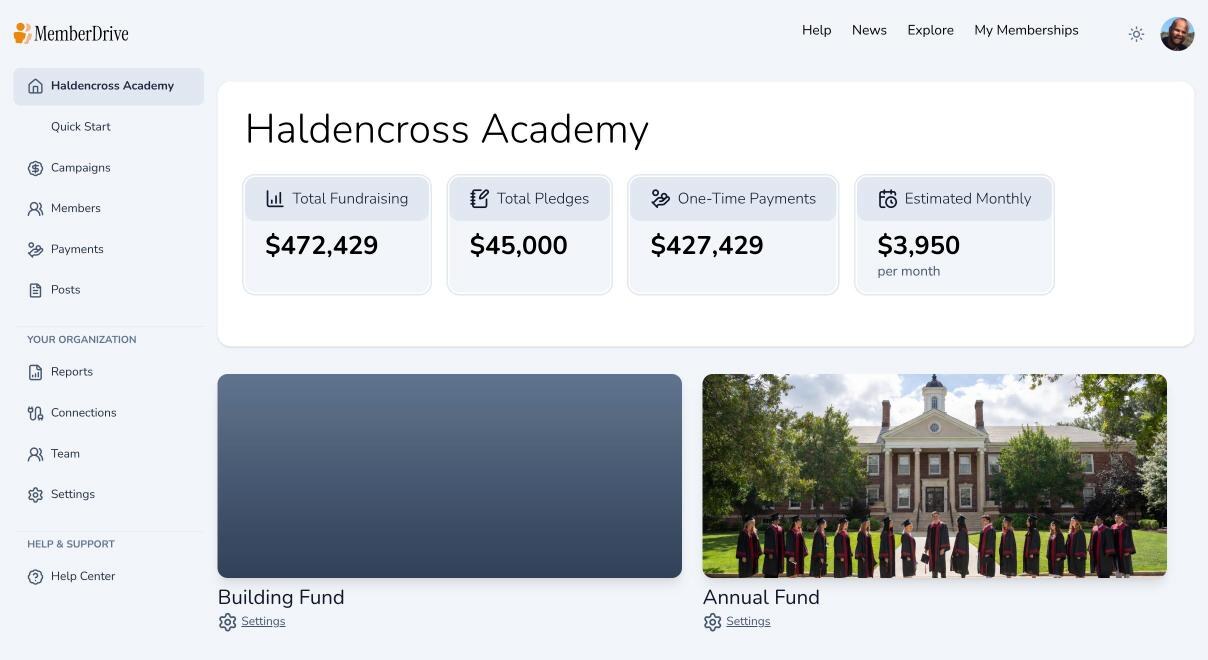
The home page shows fundraising totals for your organization — total fundraising, pledges, one-time payments, and estimated monthly revenue — plus a list of your campaigns. Use it as a quick health check before diving into detail pages.
Quick Start
While you are on the dashboard home, the left sidebar also shows Quick Start. That page walks new organizations through creating a campaign, connecting payments, uploading a logo, and publishing. See Campaign Quick Start.
If you are brand new to MemberDrive, you may also land in the guided onboarding wizard at /onboarding (website → campaign → team → payments) before you reach the full dashboard.
Main navigation
These labels match the left sidebar:
| Area | What it’s for |
|---|---|
| Campaigns | Create and edit campaigns, design pages, publish, share, and open Embed |
| Members | Member CRM, Acknowledgements, Subscriptions, and Leaderboard |
| Payments | Payment history, Upcoming, Memberships, Pledges, and Matching Gifts |
| Posts | Campaign updates for supporters |
| Reports | Fundraising and payment reports |
| Connections | Stripe, Bitcoin, cash/check, and other integrations |
| Team | Managers and notification preferences |
| Settings | Organization profile and API keys |
| Help Center | These guides |
Related guides
Subscribe to receive our content right to your inbox.