Manage Recurring Membership
If you have a recurring membership with an organization, you can change or cancel it at any time. Here’s how.
If you have a recurring membership with an organization, you can change or cancel it at any time. Here’s how:
Login to MemberDrive
- Click Member Login in the upper-right corner.
- Enter your email address. Be sure to use the same email address that you used when setting up your donation or pledge.
- In just a second or two, you should receive an email containing a one-time password. You can either copy and paste this password into the screen on MemberDrive, or click the link in the email to be logged in automatically.
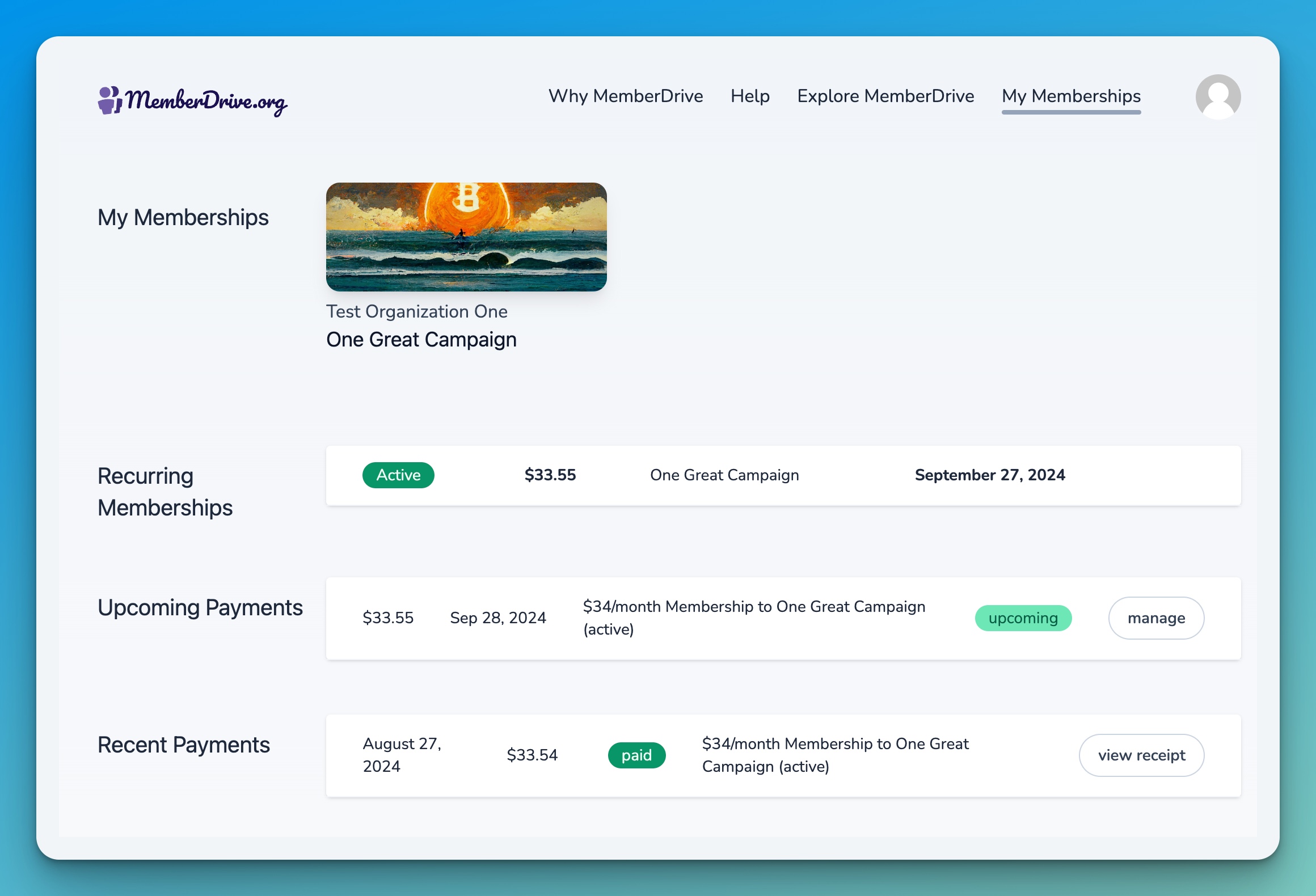
After you login, you should see a list of your memberships. If not, click on My Memberships
in the navigation at the top of the page.
Cancel or Pause Your Membership
If you'd like to cancel or pause your membership, follow these steps:
- Look for your donation under
Recurring Memberships
. - Click on the donation that you want to change or cancel.
- Click the
Pause or cancel
button. - On the next screen, you can choose to pause your donation for a certain amount of time, or cancel it altogether.
- If you'd like to pause your membership, click the red
Yes, pause my membership
button. You can choose to pause your membership for 1, 3, or 6 months. - If you'd like to cancel your membership, click the red
Yes, cancel my membership
button. Any upcoming payments related to this membership will also be canceled.
Change Your Membership
If you want to keep your recurring membership, but change the amount or frequency, here's how:
- Look for your donation under
Recurring Memberships
. - Click on the donation that you want to change.
- Click the
Edit
button. - On the next screen, you can change the amount of your donation, the frequency, or the payment method.
Change your Payment Method
If you need to change the payment method for your recurring membership, follow these steps:
- Look for your donation under
Recurring Memberships
. - Click on the donation that you want to change.
- Click
Update
button next to the payment method. - Enter your new payment information and click
Save
.
Need more help?
If you have any questions about canceling a recurring donation, please contact us at help@memberdrive.org. Or click the chat icon at the bottom of every screen. We're happy to help!
Subscribe to receive our content right to your inbox.